Google
Authorship Program:
5 Reasons Why You Need to Use Rel=Author on Your Content
by
Jill Whalen
Have you
heard of Google's Authorship program yet? Whether you've heard of it or
not, you've likely seen its fruits in the search results. You know those
listings that have a photo of the author next to them? Most likely they
get that extra cool stuff because they're using Rel=Author correctly and
Google has accepted them to participate. Unfortunately, it's been a bit
hit-or-miss as to whether your content gets accepted or not. I saw mine
accepted for a day or two many months ago, and then *poof!* it was gone.
I reviewed their new guidelines recently, however, made a few changes,
and sure enough, within a week or so, my content started showing up…yay!
While you
may or may not get your content into the program, the only way to know
is to try, and persistence is definitely a key.
If you're
thinking it's just not worth the trouble, here are 5 reasons why it's
super important:
1. It's kinda
sorta easy to implement.
While it
is a bit confusing to figure out exactly how to enable authorship based
on Google's directions (which seem to keep changing), in reality their
latest criteria have made it easier than ever to implement.
I'm not going
into the specifics on how to do it, because you can follow Google's directions.
Suffice it to say that the main things you need are a Google Profile page
that links to the website where you have author status, and a link back
from your website's home page to your Google Profile page.
You can also
have an "author page," such as the About Us page on your website,
as long as your Google profile page links to that page.
Once you've
got that all implemented, every time you write an article, simply link
your name in your byline to either your Google Profile page or your author
page with the Rel=Author code, as I have here:
By <a
href="http://www.highrankings.com/jill-whalen" rel="author">Jill
Whalen</a>

Be sure to
add the Rel=Author tag to as many of your old content articles as well,
especially ones that you know show up well in the search results.
While Google
has moved toward having you link directly to your Google Profile page
in your Rel=Author links (as opposed to your author page) to make things
less confusing, I still link to my author page, and it works fine.
If you go
this route, be sure to follow their older, more confusing instructions
as well.
2. It makes
your content stand out.
Imagine if
you could put big stars around your content listings in Google's search
results that everyone would see. Rel=Author does exactly that! Only it's
not stars, but your name and photo.
Before Rel=Author
became widespread, only logged-in users and those who participated in
social media might see a little profile photo of you if they happened
to search on something that you had tweeted about. But with Rel=Author
implemented correctly, even users who aren't logged into their Google
accounts or their social media accounts will still see the rich author
information and photo.

This is huge,
folks, and this reason alone makes it worth figuring out the implementation.
3. Provides
credibility and more exposure.
Beyond just
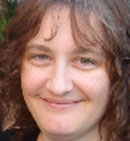
seeing my smiling face in the listings for my content, as you can see
in the above screenshot, Google is also showing how many people have circled
me on Google+ as well as a "More by Jill Whalen" link. Clicking
that link shows more information about me from my Google Profile, plus
posts I've made on Google+ related to the search query, and all the other
articles that I've written on the subject.

I've also
seen them show articles others have written on the subject that reference
me in one way or another.
4. Higher
clickthrough rate.
I'd say this
one goes without saying, due to all of the above factors. It would be
difficult to *not* click on the listing that Google is screaming for you
to click on. Time will tell on this one, but so far it appears that since
my authorship status started to show up in the Google results (it's less
than 2 weeks now), I've been getting more traffic for certain articles.
5. Additional
metrics in Webmaster Tools.
As if all
of the above weren't enough, once you have your authorship up and running
and showing up in Google results, you'll also see new author stats in
your Webmaster Tools account. (Look under "Labs.") The information
there shows you approximately how many times each of your content pages
showed up in the search results (impressions) and approximately how many
times it was clicked on, along with other interesting details that you
can't really get elsewhere.

Of course,
Google has their own selfish reasons for giving us all of this awesomeness.
Their number-one priority this year is Google+ and all that surrounds
it. Rel=Author provides anyone who creates online content with a darn
good reason (make that 5!) to create a Google Profile. And the more people
who do that, the more who might start using Google+, especially if they
want to get those circle numbers up as mentioned in #3 above.
Jill Whalen
is the CEO of High Rankings Jill Whalenand an SEO
Consultant in the Boston, MA area since 1995. Follow her
on Twitter
@JillWhalen
If
you learned from this article, be sure to sign up for the High
Rankings Advisor SEO Newsletter so you can be the first to
receive similar articles in the future!
 Search
Engine Optimization Fast Start Search
Engine Optimization Fast Start
"Search
engines send thousands of customers to your competitors every day - isn't it
time you fought back?"
Finally - a fast,
simple, and effective system that targets your best customers and brings them to
you for free. Learn
how today!
|